Filing your Income Tax Return (ITR) is a crucial financial responsibility that helps you stay compliant with the law while unlocking benefits like faster loan approvals and tax refunds. Whether you're a salaried individual, freelancer, or business owner, understanding the basics of ITR filing can save you time, stress, and money. In this guide, we’ll walk you through the essential steps to file your ITR accurately.
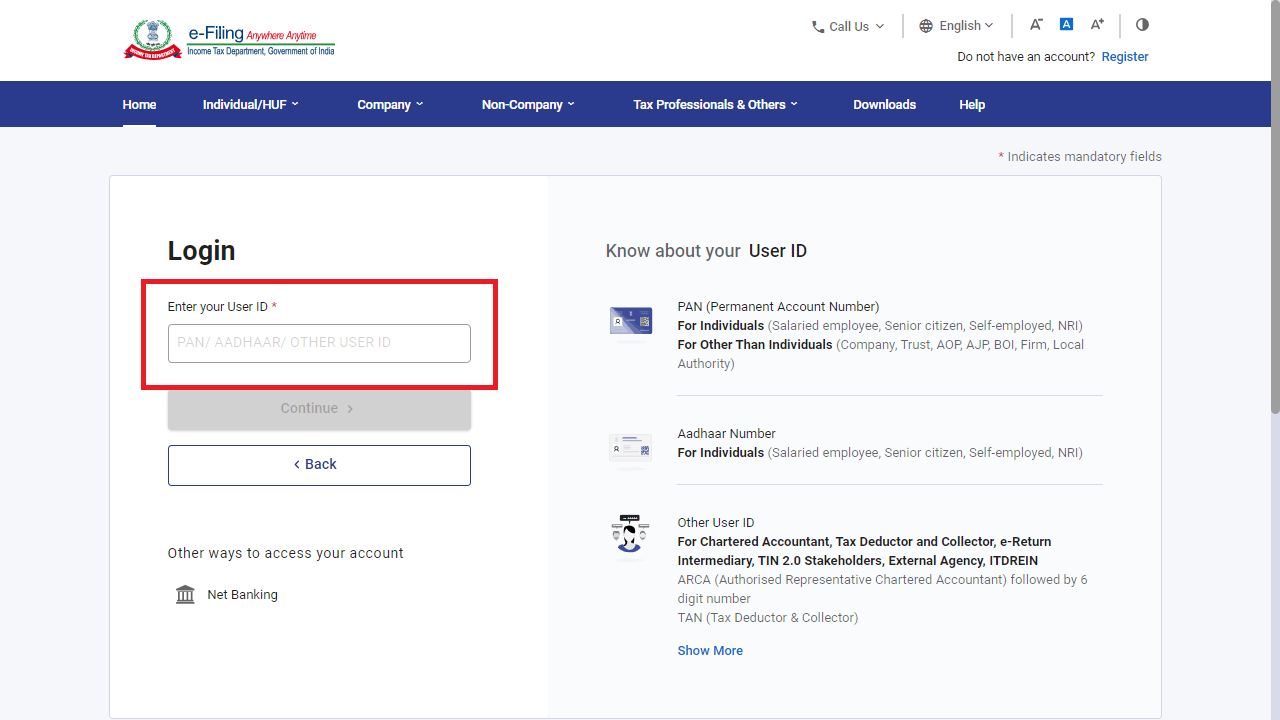
Step -1 Go to Income Tax e-filing-website and click on 'Login'.
Enter your PAN in the User ID section.
Click on ‘Continue’.
Check the security message in the tickbox.
Enter your password
'Continue'

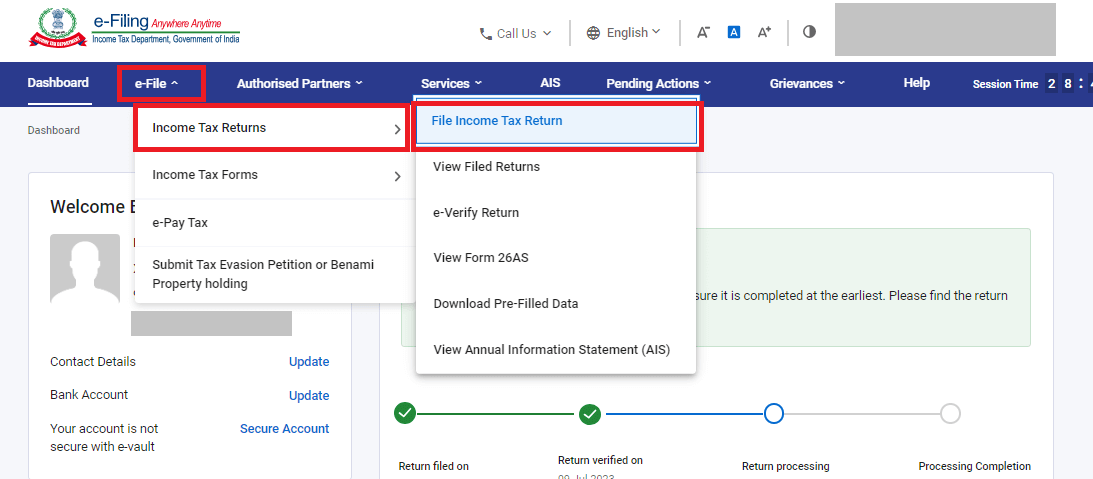
Step 2: Go to 'File Income Tax Return'
Click on the 'e-File' tab > Income Tax Returns > File Income Tax Return

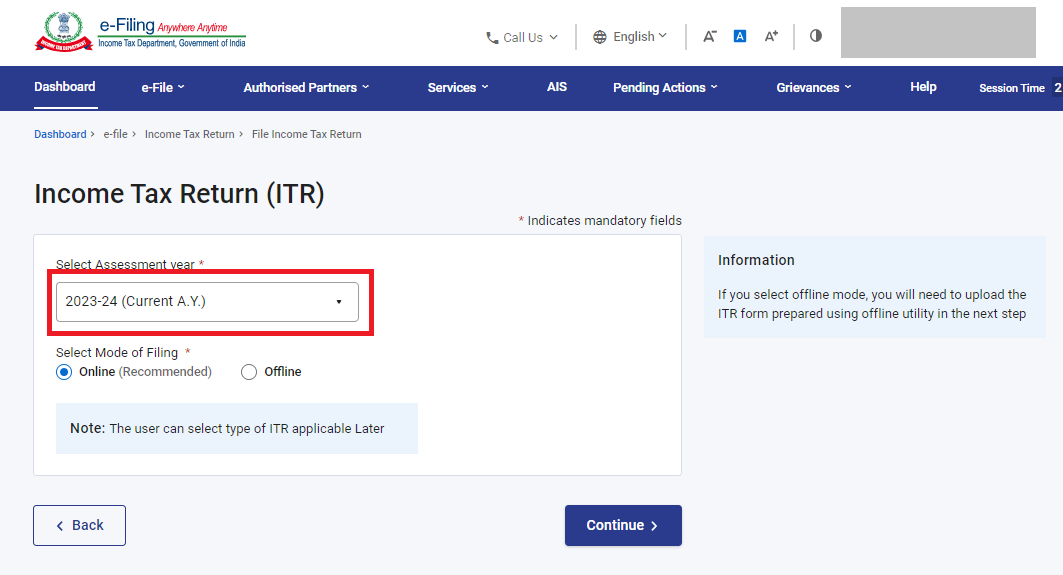
Step 3: Select the right Assessment Year
Select 'Assessment Year' as ‘AY 2024-25’ if you file for FY 2023-24 and use the mode of filing as 'Online'. Select the filing type correctly as original return or revised return.

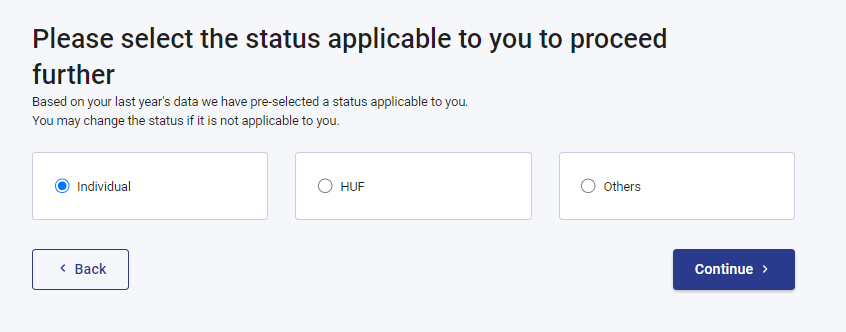
Step 4: Select the status
Select your applicable filing status: Individual, HUF, or Others.
For filing of persons like you and me, select 'Individual' and 'Continue'.

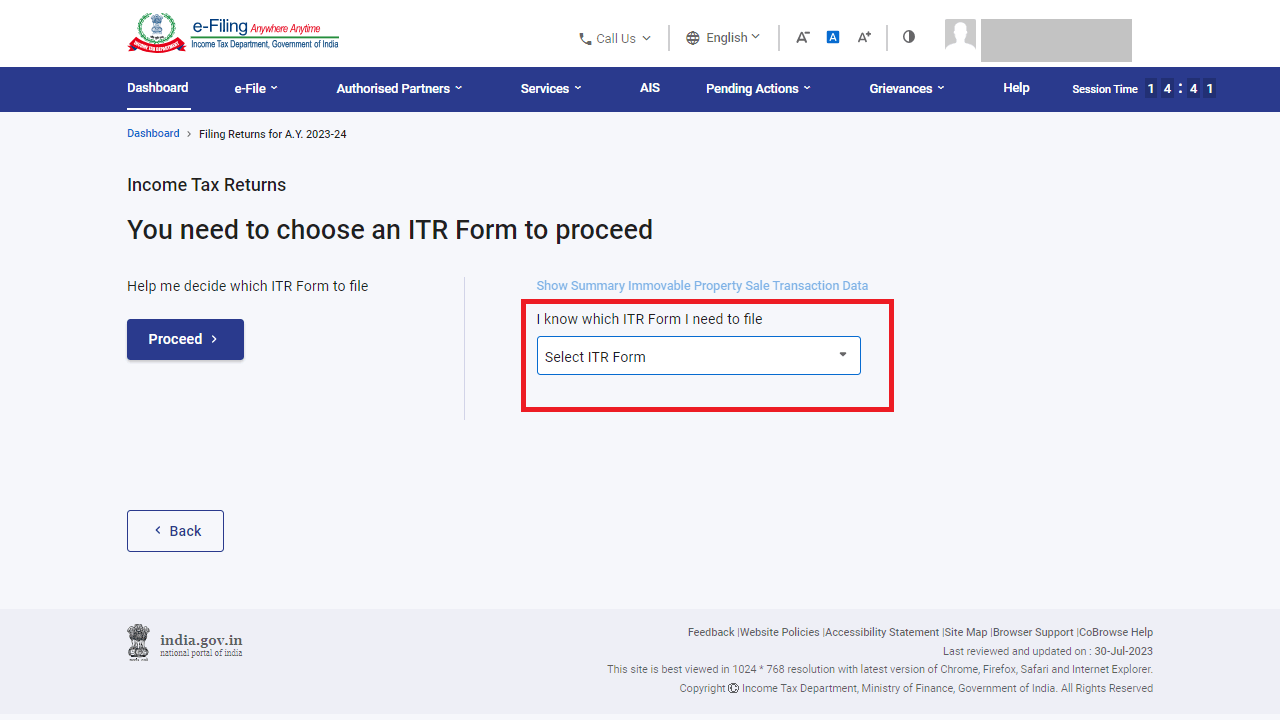
Step 5: Select the ITR type

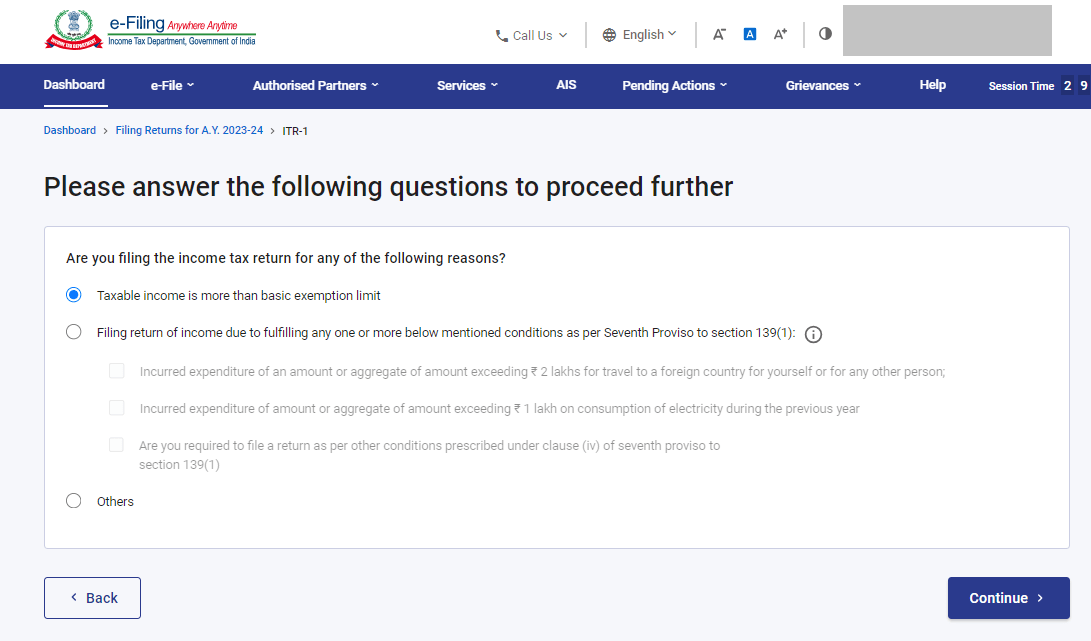
Step 6: Choose the reason for filing ITR

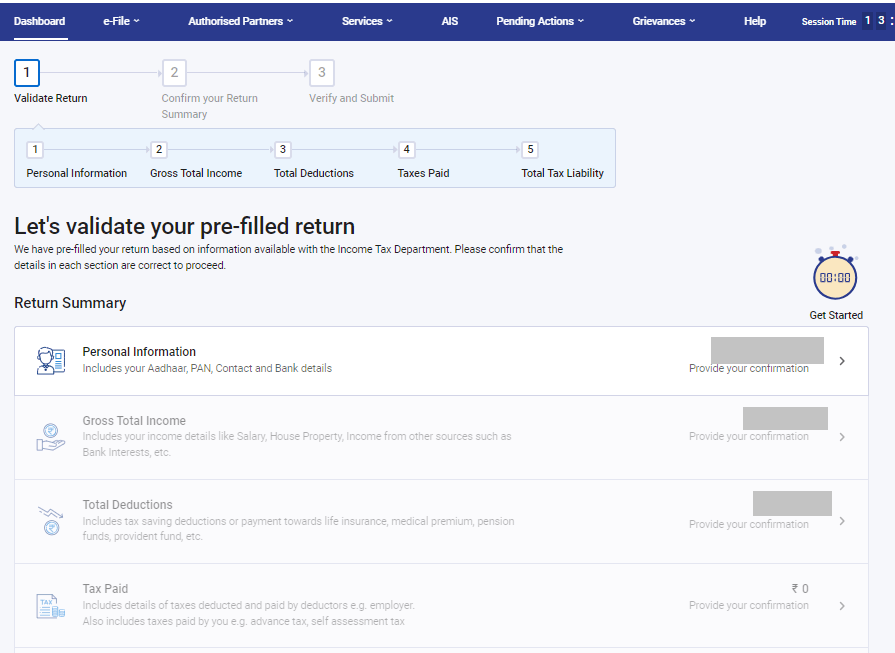
Step 7: Validate the pre-filled information

Step 8: e-Verify ITR
The last and crucial step is to verify your return within the time limit 30 days.
-
PAN card
-
Aadhaar card
-
Bank account details including account number and IFSC code
-
Form 16 issued by the employer, if applicable
-
Salary slips for the financial year
-
Bank statements showing income and transactions
-
Interest certificates for savings accounts and fixed deposits
-
Investment proof for deductions under applicable sections
-
Insurance premium receipts
-
Home loan interest certificate, if applicable
-
Details of capital gains from property or investments, if any
-
Business or professional income records, if applicable